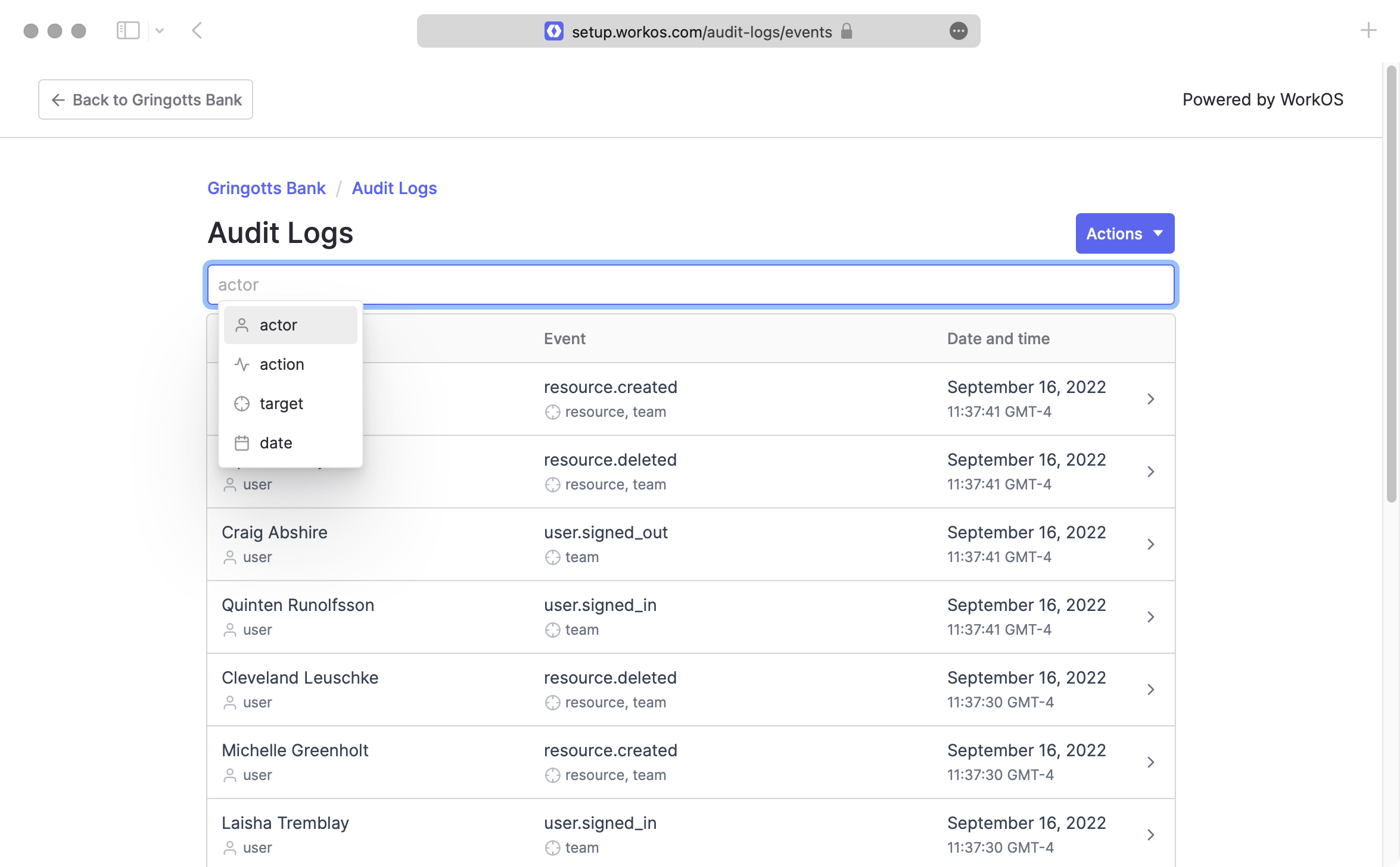
View Audit Log events for an organization in the WorkOS Admin Portal.
Audit Log events can be viewed in the WorkOS Admin Portal. Links can be generated through the WorkOS API and sent to your customers for viewing events associated with their Organization.
When creating a link for an Admin Portal session, you must provide the Organization ID whose events will be displayed in the Admin Portal, and specify the intent as audit_logs.
import { WorkOS } from '@workos-inc/node'; const workos = new WorkOS('sk_example_123456789'); const { link } = await workos.portal.generateLink({ organization: 'org_01EHZNVPK3SFK441A1RGBFSHRT', intent: 'audit_logs', }); // Redirect to link
require "workos" # The ID of the organization to start an Admin Portal session for organization_id = "org_123" link = WorkOS::Portal.generate_link( organization: organization_id, intent: "audit_logs" ) # Redirect to link
from workos import WorkOSClient workos_client = WorkOSClient( api_key="sk_example_123456789", client_id="client_123456789" ) organization_id = ( "org_123" # The ID of the organization to start an Admin Portal session for ) portal_link = workos_client.portal.generate_link( organization_id=organization_id, intent="audit_logs" ) # Redirect to portal_link["link"]
package main import ( "context" "os" "github.com/workos/workos-go/v3/pkg/portal" ) func main() { apiKey := os.Getenv("WORKOS_API_KEY") portal.SetAPIKey(apiKey) // The ID of the organization to start an Admin Portal session for organizationID := "org_123" link, err := portal.GenerateLink(context.Background(), portal.GenerateLinkOpts{ Organization: organizationID, Intent: portal.AuditLogs, }) if err != nil { // Handle the error... } // Redirect to link.Link }
<?php $portal = new WorkOS\Portal(); $portalLink = $portal->generateLink( organization: "org_123", intent: "audit_logs" ); $url = portalLink["link"]; // Redirect to $url
import com.workos.WorkOS; import com.workos.portal.PortalApi.GeneratePortalLinkOptions; import com.workos.portal.models.Intent; import com.workos.portal.models.Link; Map<String, String> env = System.getenv(); WorkOS workos = new WorkOS(env.get("WORKOS_API_KEY")); // The ID of the organization to start an Admin Portal session for String organizationId = "org_123" Link response = workos.portal.generateLink(GeneratePortalLinkOptions.builder() .organization() .intent(Intent.AuditLogs) .build()); String link = response.link // Redirect to response.link
using System; using WorkOS; var portalService = new PortalService(); // The ID of the organization to start an Admin Portal session for string organizationId = "org_123"; var options = new GenerateLinkOptions { Intent = Intent.AuditLogs, Organization = organizationId, }; var link = await portalService.GenerateLink(options); // Redirect to the portal link
Navigating to the provided link will result in the following view. Users will be able to view and export Audit Log events just as can be done through the WorkOS Dashboard.