A step-by-step guide on how to start using Vault to manage encrypted objects.
To get the most out of these guides, you’ll need:
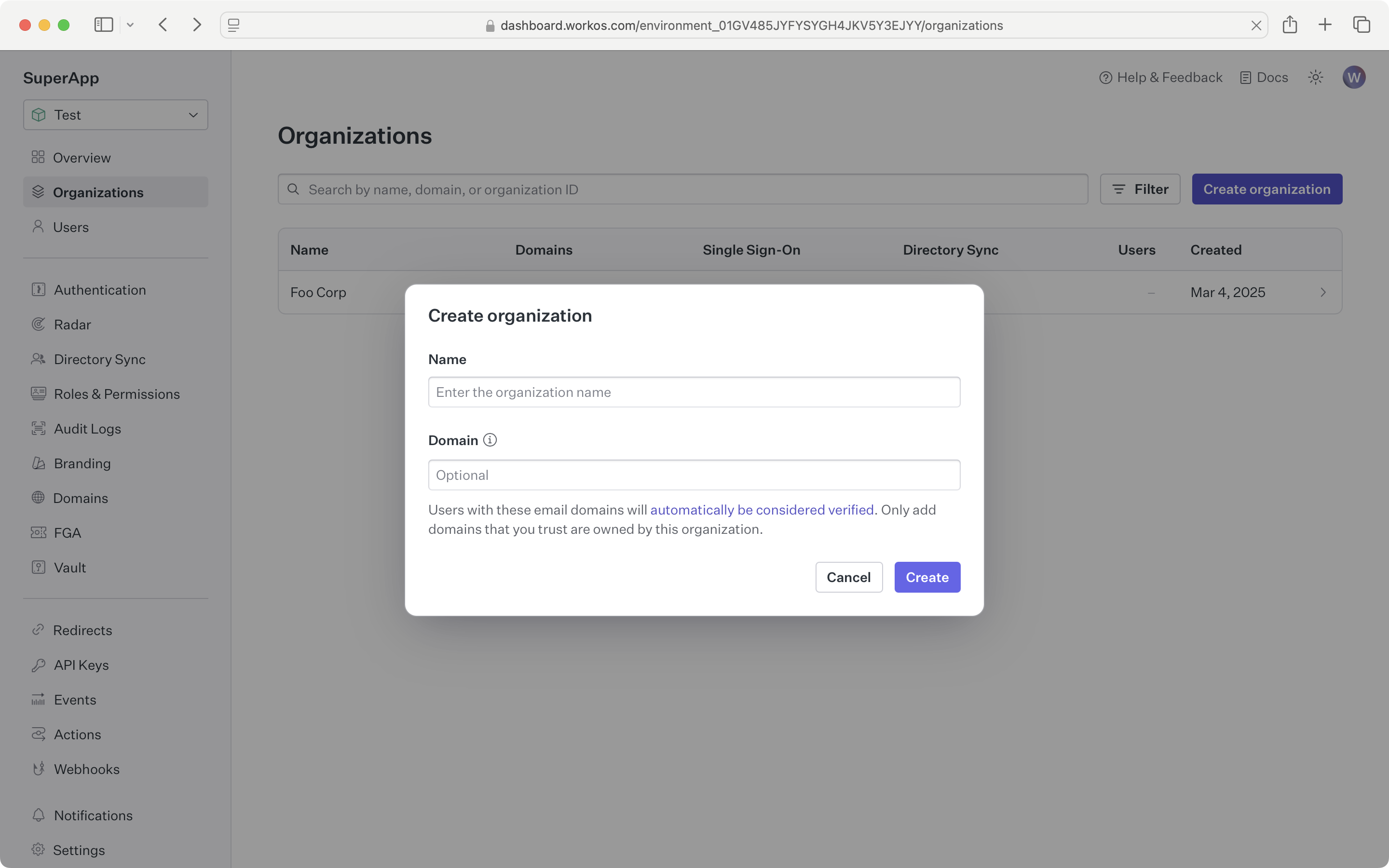
Sign in to your WorkOS Dashboard account and create a new Organization.
In this guide, we will walk you through what you will need to set up Vault for securing and isolating organization-specific data:
WorkOS offers native SDKs in several popular programming languages. Choose a language below to see instructions in your application’s language.
Don't see an SDK you need? Contact us to request an SDK!
Install the SDK using the command below.
npm install @workos-inc/node
yarn add @workos-inc/node
| npm install @workos-inc/node |
| yarn add @workos-inc/node |
To make calls to WorkOS, provide the API key and, in some cases, the client ID. Store these values as managed secrets, such as WORKOS_API_KEY and WORKOS_CLIENT_ID, and pass them to the SDKs either as environment variables or directly in your app’s configuration based on your preferences.
WORKOS_API_KEY='sk_example_123456789' WORKOS_CLIENT_ID='client_123456789'
The Vault API and SDKs provide a method to encrypt and store a blob of data linked to a WorkOS organization. The encryption key used will be both unique to the KV item and cryptographically isolated from all other organizations.
import { WorkOS } from '@workos-inc/node'; const workos = new WorkOS('sk_example_123456789'); const organization = await workos.organizations.getOrganization( 'org_01EHZNVPK3SFK441A1RGBFSHRT', ); const object = await workos.vault.createObject({ name: 'foo-corp-secret', value: 'secret value', context: { organizationId: organization.id }, });
from workos import WorkOSClient workos_client = WorkOSClient( api_key="sk_example_123456789", client_id="client_example_123456789" ) object_metadata = workos_client.vault.create_object( name="my-secret", value="secret-value", key_context={"organization_id": "org_01EHZNVPK3SFK441A1RGBFSHRT"}, )
package main import ( "context" "github.com/workos/workos-go/v4/pkg/vault" ) func main() { vault.SetAPIKey( "sk_example_123456789", ) object, err := vault.CreateObject( context.Background(), vault.CreateObjectOpts{ Name: "foo-corp-secret", Value: "secret value", KeyContext: vault.KeyContext{"organization_id": "org_01EHZNVPK3SFK441A1RGBFSHRT"}, }, ) if err != nil { // Handle error } }
Once created, the key context for an object cannot be changed. Only the value can be updated. The expected version of the object can be provided as a consistency lock when writing to the object.
const updatedObject = await workos.vault.updateObject({ id: object.id, value: 'new value', versionCheck: object.metadata.versionId, });
from workos import WorkOSClient workos_client = WorkOSClient( api_key="sk_example_123456789", client_id="client_example_123456789" ) object_id = "secret_51B0AC67C2FB4247AC5ABDDD3C701BDC" updated_object = workos_client.vault.update_object( object_id=object_id, value="new value" )
package main import ( "context" "github.com/workos/workos-go/v4/pkg/vault" ) func main() { vault.SetAPIKey( "sk_example_123456789", ) id := "secret_51B0AC67C2FB4247AC5ABDDD3C701BDC" // Fetch metadata for an object object, err := vault.DescribeObject(vault.ReadObjectOpts{Id: id}) if err != nil { // Handle error } updatedObject, err := vault.UpdateObject( context.Background(), vault.UpdateObjectOpts{ Id: object.Id, Value: "new value", VersionCheck: object.Metadata.VersionId, }, ) if err != nil { // Handle error } }
Objects can be listed, returning just the names of the objects. The metadata for each object can be queried – this provides more information about it without needing to decrypt the actual value. Fetching the object value will return the same metadata in addition to the unencrypted value.
const id = 'secret_51B0AC67C2FB4247AC5ABDDD3C701BDC'; // List all objects const objects = await workos.vault.listObjects(); // Fetch metadata for an object const metadata = await workos.vault.describeObject({ id }); // Fetch full object const object = await workos.vault.readObject({ id });
from workos import WorkOSClient workos_client = WorkOSClient( api_key="sk_example_123456789", client_id="client_example_123456789" ) object_id = "secret_51B0AC67C2FB4247AC5ABDDD3C701BDC" # List all objects with default pagination paginated_objects = workos_client.vault.list_objects() # List objects with pagination paginated_objects = workos_client.vault.list_objects( limit=5, after="secret_51B0AC67C2FB4247AC5ABDDD3C701BDC" ) # List versions for a specific object versions = workos_client.vault.list_object_versions(object_id=object_id) # Fetch full object vault_object = workos_client.vault.read_object(object_id=object_id)
package main import ( "context" "github.com/workos/workos-go/v4/pkg/vault" ) func main() { vault.SetAPIKey( "sk_example_123456789", ) id := "secret_51B0AC67C2FB4247AC5ABDDD3C701BDC" // List all objects listResp, err := vault.ListObjects(context.Background(), vault.ListObjectsOpts{}) if err != nil { // Handle error } // Fetch metadata for an object object, err := vault.DescribeObject(vault.ReadObjectOpts{Id: id}) if err != nil { // Handle error } // Fetch full object object, err = vault.ReadObject(vault.ReadObjectOpts{Id: id}) if err != nil { // Handle error } }
When an object is no longer needed it can be marked for deletion. This will make the object unavailable to API operations, but the data will not be immediately deleted.
await workos.vault.deleteObject({ id: object.id });
from workos import WorkOSClient workos_client = WorkOSClient( api_key="sk_example_123456789", client_id="client_example_123456789" ) object_id = "secret_51B0AC67C2FB4247AC5ABDDD3C701BDC" workos_client.vault.delete_object(object_id=object_id)
package main import ( "context" "github.com/workos/workos-go/v4/pkg/vault" ) func main() { vault.SetAPIKey( "sk_example_123456789", ) id := "secret_51B0AC67C2FB4247AC5ABDDD3C701BDC" _, err := vault.DeleteObject(context.Background(), vault.DeleteObjectOpts{Id: id}) if err != nil { // Handle error } }